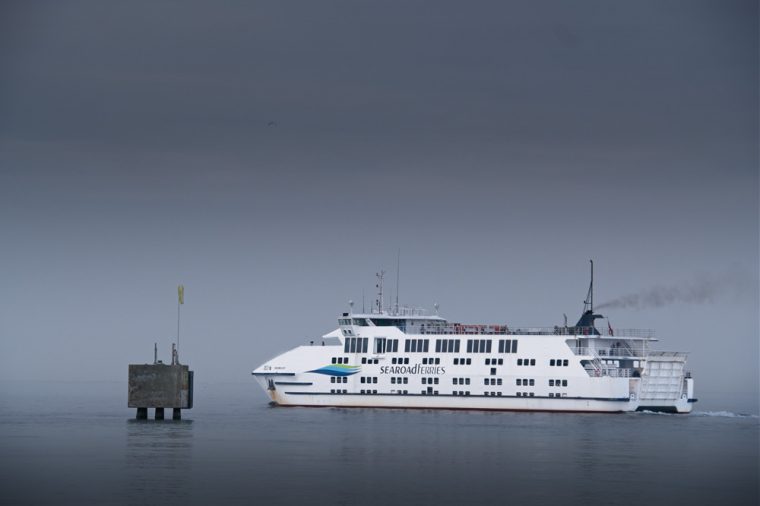
How are you going? Are you still with me? Like I said I’m trying to make these easy to do. Some simple things to do to your images that can make them pop a bit more. Or so I hope.
Before we get started, for those of you who are interested in what the One Four Challenge is, you can find out by going to this link for more information. Also please take a look at Joanne’s post as well.
Okay, let’s put up the original image again, and don’t forget to look at the previous couple of weeks if you haven’t seen what we have done so far.

The image is coming along, but one thing I love doing is adding some darkness to the top or the bottom of the image. We can do that with the gradient tool.
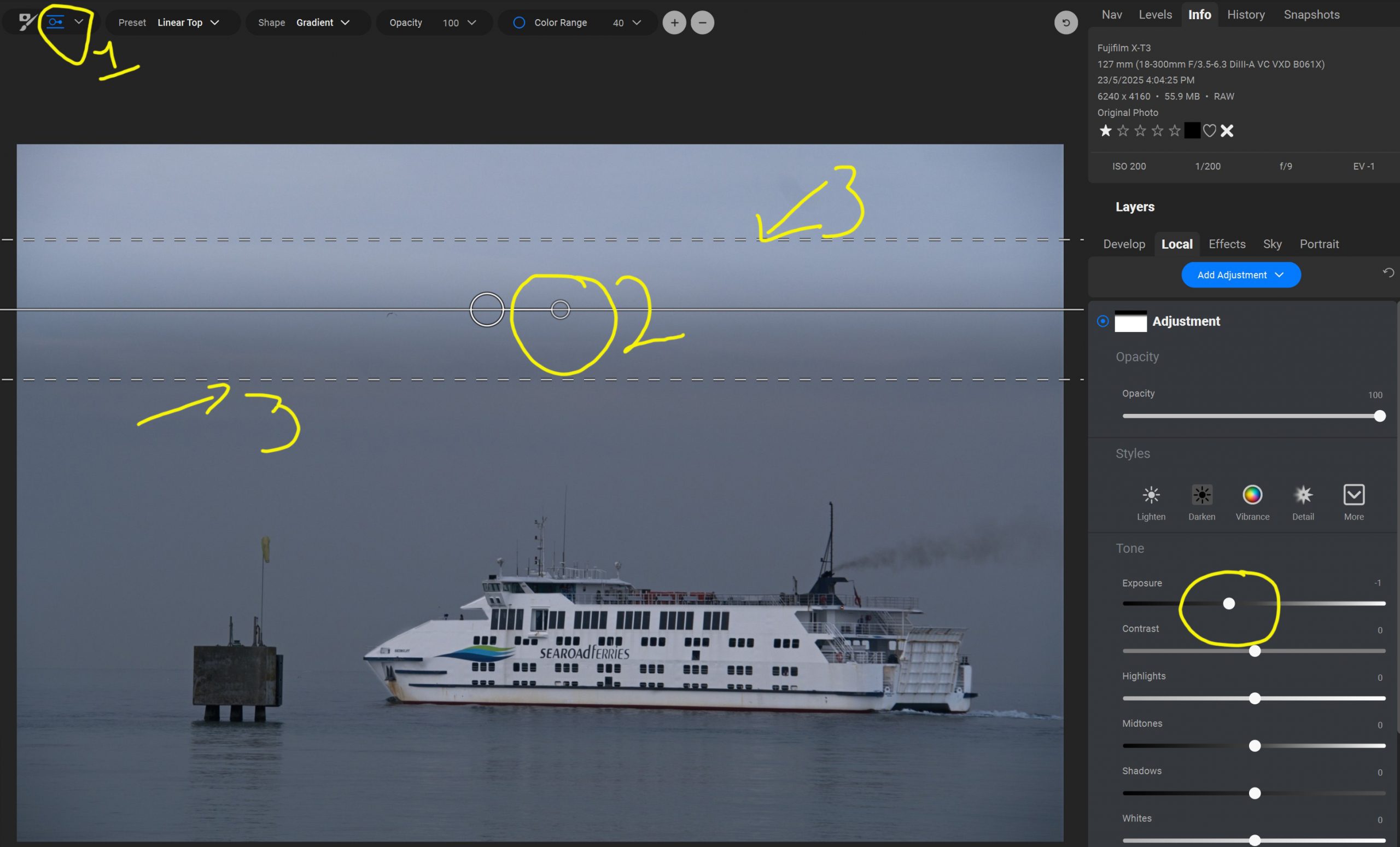
We are using the local adjustments again, like we did last week, so click on Add Adjustment. However, this time we don’t want the brush. If you look at number 1, you can see I have circled the tool next to the brush, so click on that. Then go to the slider and move the exposure one to the left because we want this darker.
You can see below that when you click on the image with the gradient adjustment tool, the bottom half of the image is darker, we don’t want that. If you look at Number 2, there is a small circle, click and hold onto that, and you can swing the whole thing around so it is dark at the top instead. Once you have that, you can then click on either of the lines that I have number 3 pointed at and spread them apart. They are like your feathering, and how much of a feather you want for the gradient.
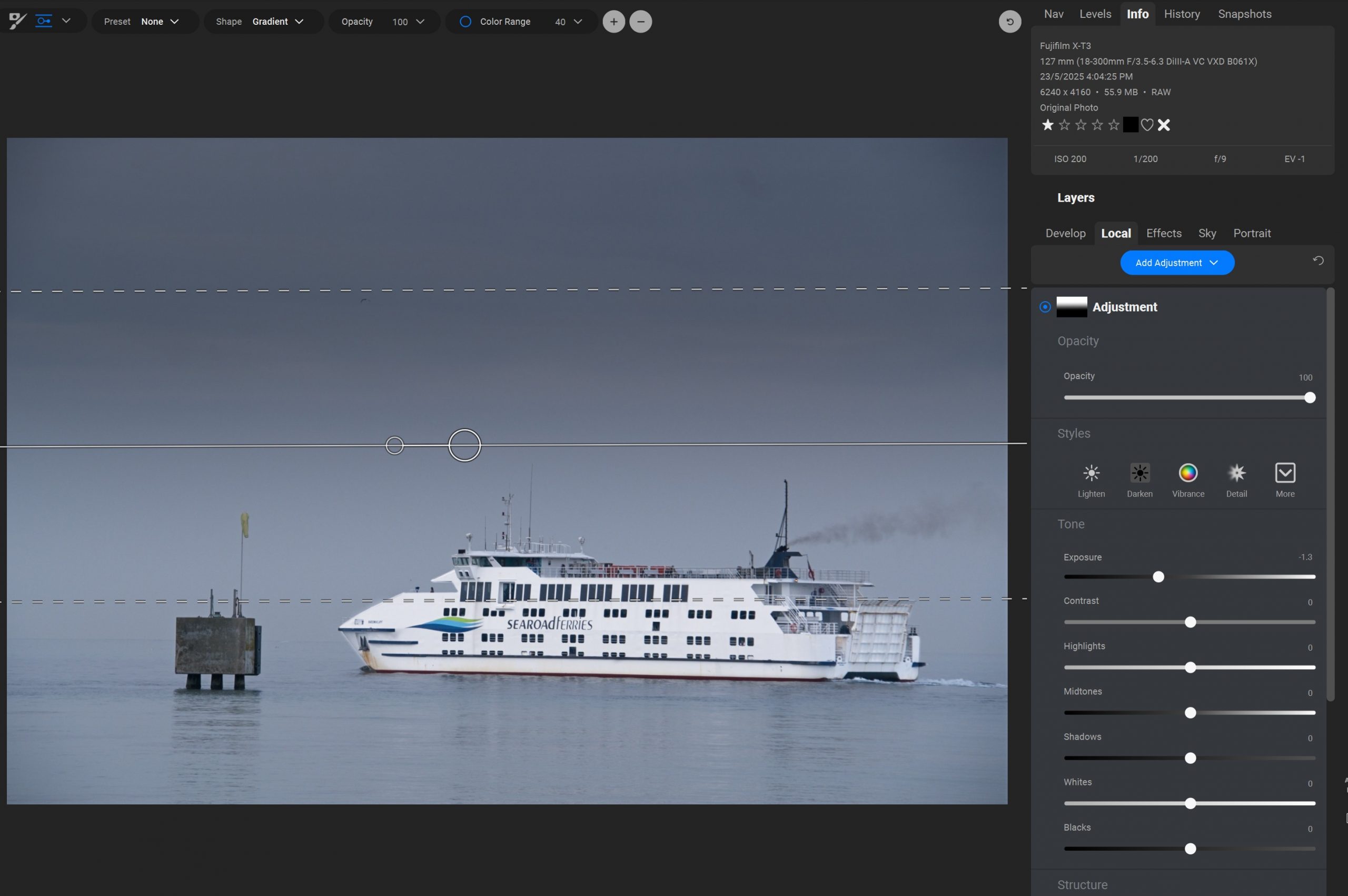
If you look at the image below, you can see what I have done or where I ended up. I also moved the exposure slider to the desired darkness that I wanted.
I could have finished it there, but I ended up adding another gradient to the bottom of the image as well. Not as big because I didn’t want it to impact the ferry. If you want to do that, you should be able to work it out now.
If you find you have completely stuffed it up, you can start over by clicking the cross in the right corner of the adjustment you are doing.
Let’s take a look at this week’s image now.
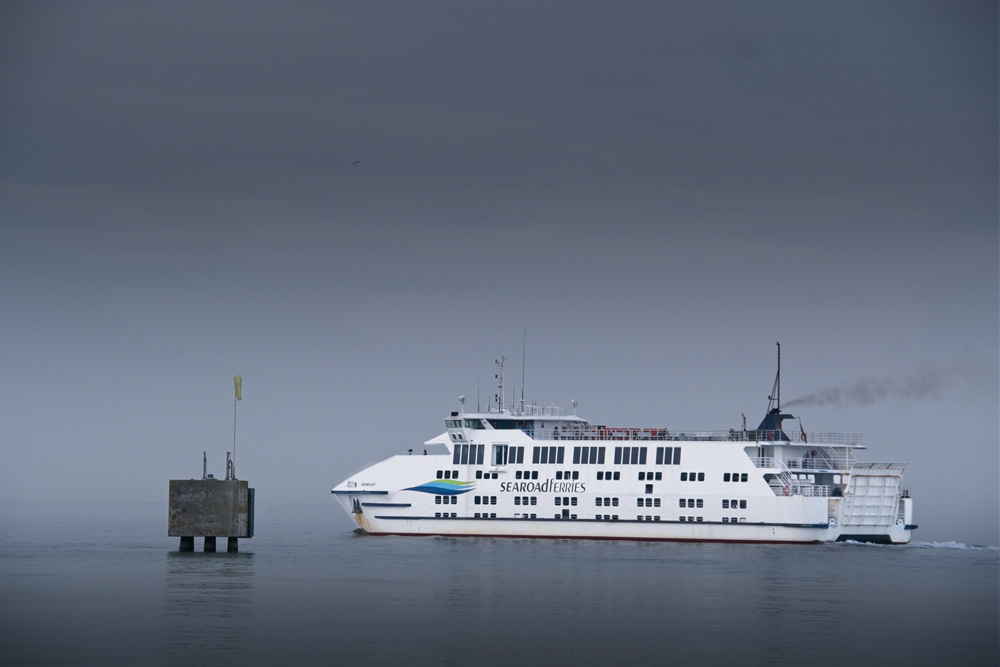
It almost looks like it hasn’t changed at all, but if you look at the gallery you will be able to see just how much of a change it has had.


The gradients are a nice touch to the image.
Thank you Donna. I do that to a lot of my images.
I like this last change and the mood it sets.
Thank you Anne.
I like every one of these photos!
That’s great, thank you Lois.