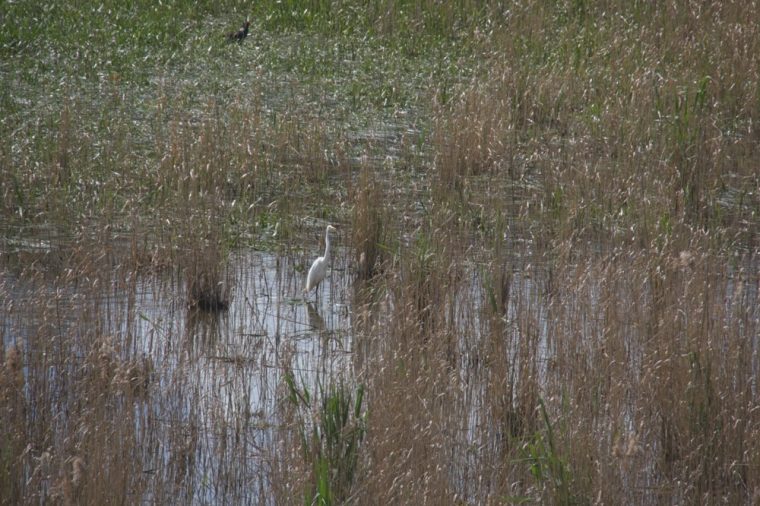
I have been a bit worried about this tool in ON1 Photo RAW 2026 and how it could be used for bad things. Basically, this tool will allow you to upsize an image so you can print it. That does worry me with the potential of people stealing photos from us.
However, I can also see it being useful for other things in my own photography practice.
When I went to Cressy recently, we stopped at an old bridge. (The photos of that are still to come) While I was standing on the bridge, I looked down into the reeds and saw, I think it is, a white heron. I zoomed in as far as I could, but the image below was the best I could get.
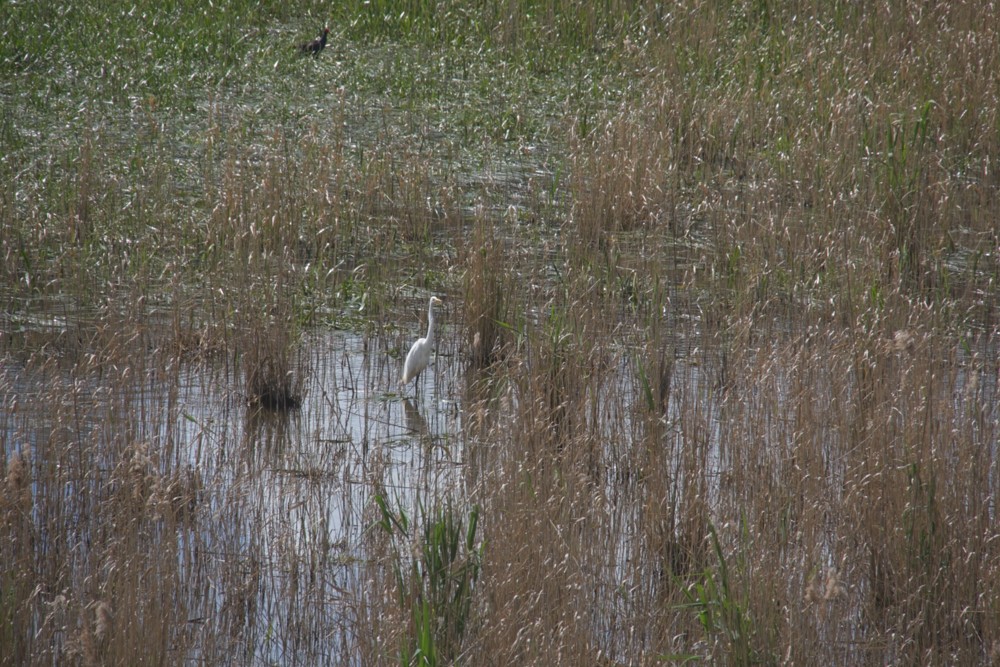
I thought the image would be a good one to try out the AI resize and see how it went.
The following image is what I got.
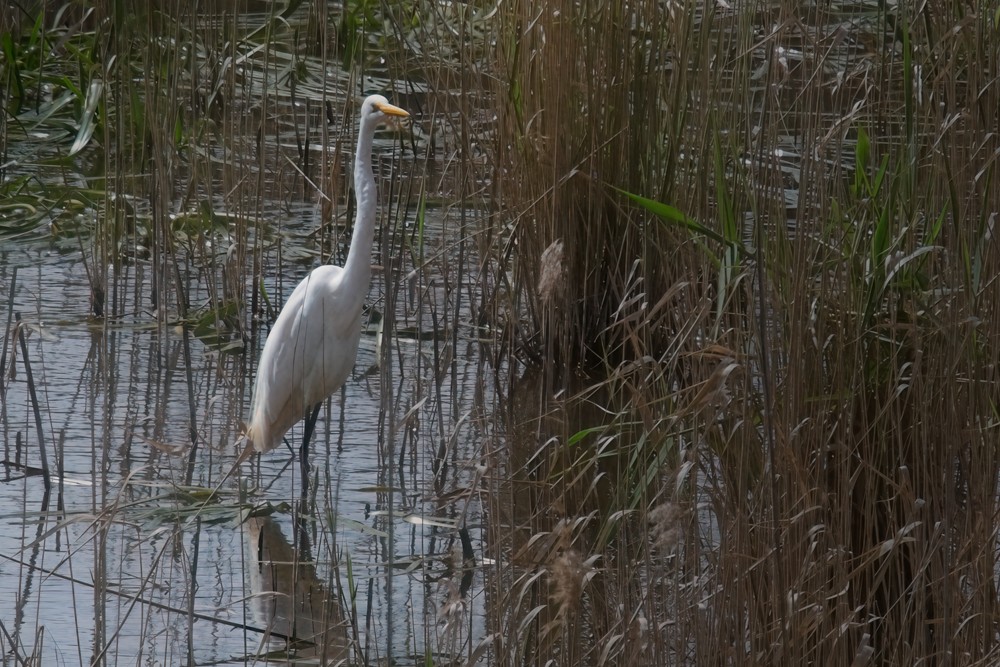
I don’t think it is too bad. Seemed to do a fairly decent job. I wouldn’t mind testing it out a lot more and see what I get with it.
What do you think about software being able to do this?

Fantastic image, I agree not a ton of detail – would it actually be able to be reproduced in a printable form if the quality isn’t 100% and sharp? This is where AI is not something I am fond of at all, its one thing to use for writing to help refine something, however Im really tossed about using for photography – more so creating images but you make a very valid point, could this put us in a position where our images could be stolen and reproduced without us knowing?
AI could be wonderful for photography, there are things I think it is great for, then again, it could be really bad. I don’t know what the answers are, I guess we just need to wait and see. Thank you for your thought Pamela.
Very true, I have used the remove feature to help get rid of small things out of an image.
That is something I think it is perfect for.
Not much detail, but it’s a white bird so details disappear at times no matter what so it’s a nice to have. Like so many tools there is a place for it I think. Topaz has an add on specific to this task. My OM Systems cameras have a built in 2x teleconverter.
Nature photographers are always looking for an edge 😁😁.
I guess time will tell where it all goes, and I agree you are right about the white bird.
Thank you so much Ted.
so beautiful dear Leanna, Thank you, Love, nia
Thank you Nia.
Impressive result!
Thank you Geoff.
Nothing wrong with AI being used as an enhancement tool– especially if resizing blurs can be corrected.
Art
I can’t say I disagree, I think AI can be good. Thank you Art.
I’m sure there are many useful things to do with this. In addition to photographic purposes, it’s very good and summarizing long pieces of writing — especially when one is trying to decide whether or not you are sufficiently interested to read the whole thing!
Thank you so much Marilyn.
That is a useful tool Leanne. It did work well on you Intermediate Egret 😀
I got the name of the bird wrong didn’t I? LOL. It could be useful.
I can be a bit pedantic too 😁 but now you know that white water birds are Egrets and herons are coloured
I thought there was a white heron, the great white, have I got that wrong?
Yep, no Great white Heron. A Great Egret though
There are a White-faced Heron and a Pacific Heron which has a white neck and breast
So I did some research and who knew that Egrets are herons, all from the same family apparently.
Good on you for doing bird research Leanne. I’ll make a birder of you yet 😁
Hahaha, I used to do a lot of bird photography, but I can’t afford the lenses for it.
The ability to resize images (up or down) without losing quality is indispensable to me. Luminar Neo’s Up-resolution works well. I liked GigaPixel which is now integrated in Photoshop. For one example, the camera may produce an image at, say, 6000 x 4000. I will trim that substantially for editing and for web display. But then if I want to print the image, or make it available to print, I have to very big. At 300 dpi – standard res for printing – 6000 x 4000 is only 20 by 13.3 inches. If I want to print at larger sizes, I have to be able to increase the size of the image substantially. Thus the need for good quality resize. Yes, it does make theft a little more attractive and easier. There are numerous tools to reduce (not prevent) likelihood of theft. WordPress image plugins allow you to lock an image from downloading. You can embed ownership information into the EXIF stored in the photo; add watermarks and copyright/ownership information in the image; add a digital signature.
I am worried about it being misused more. I mean there has software out there to do it for a long time, but now it is so easy. Thank you Joanne.
I tried a similar feature in Topaz. Generally a good idea and can be very helpful. In particular with older pictures or poorly scanned analog material.
But I noted that artefacts can be introduced and any lettering may be dodgy.
I think for Fine Art photography it is not suitable. For documentary or investigate work a great feature, but the result must be carefully checked.
As always, features like this will be misused for nefarious purposes.
So the bad comes with the good.
Can we protect our own property?
Through extra work, watermarking, maybe.
Unfortunately the Jenny is out of the bottle.
I’m not sure how I feel about it either. My first thought, great it will be easier for people to steal my images.
I’m sure there will good things to use it for, but a you said, it will be misused.
I guess watermarking, back to that. It is a bit of a pain really. thank you for your comment.
Ai is only bad when people cheat to create an image that isnt true. Otherwise I am all for it when used creativly to enhance an image. ON1 resize is just another useful tool we can use like any other. 😃
I use it to create images David, but I am always upfront about it. I also tend to do it for fun. I agree, I think if you want to use it, why not. Thanks David.
I think it did a great job, but I think you started out with a super sharp picture.
I don’t think you would do it with an image that wasn’t super sharp Anne. I tend to delete those ones anyway. Thank you Anne.
I must say, that’s pretty good. But so was your original. If you’d had a less clear image (because too far away) I wonder what the result would have been?
I have seen some amazing things with it, also seen some bad changes. Thank you Margaret.
At least you get the choice whether to use the offerings made, and can junk the baddies!
That’s very true.
I was a big fan on ON1 until they started bloating it with AI tools that in most cases, I don’t need. But the resize one seem to be very useful indeed.
There is quite a few AI settings, but I’ve found you don’t have to use them if you don’t want to. The resize could be handy. Thank you Omar.
Not sure how to feel about it. Good for us, if we want to use the tool, but bad if others run our photos through it to steal them. Have a good day Leanne. Allan
That is pretty much how I feel about Alan, might be time to start watermarking again. Thanks Alan.